Archive for the 'Programming' Category

Catching UP

Marty April 8th, 2006

I started a new job this week, and it’s been a LOT of work - but good work. I’m working more on the Information Architecture side of things which I haven’t had much of a chance to do lately when I was working with my old contract company. Better yet, this position could hopefully lead to full-time employment, something that I could get into since this seems like a pretty cool company. I’ll miss the flexibility of my other position, and driving up the Schuykill daily is a bit of a drag, but I like what I’m working on, the people are good and the whole “…into full-time employment” portion is something that I could get into.

Unfortunately, it also means that I don’t have as much time to tool around as I once did. Big difference between getting home at 4:30 and 7:30 each night - but there’s always a trade-off for good work, and the potential benefits it brings. Even if I can’t play hooky as often.

Other links - some relevent, others … well, not so much »

You want it coded in what?

Marty February 22nd, 2006

I have to ask, who the heck still uses HTML 3.2? For those of you who left it all behind years ago (with good reason), here’s a short list of things you can’t use in 3.2:

  • Stylesheets - none. zero. Ditto for inline styles - HTML 3.2 hates ‘em.
  • font face - Technically, there is no way to dictate what font you want to use - it’s just that browsers of that time period started accepting them, even if they were out of standard. You can, however, use that damned font tag until your hearts content.
  • font-size - only in 1, 2, 3, 4, 5 or 6 … or in +1/-1, +2/-2, etc.
  • background - none of the variables work, but you can use the old bgcolor, but only in certain elements (body, div). Not much help if you have to design using tables (because what would HTML 3.2 be without tables, right?).
  • target - although, since this was an email, that’s not that big a deal. Plus, it’s deprecated for HTML 4.01 STRICT anyway.
  • BR and HR - I don’t know how many times I had to go back and switch my < br /> tags.
  • cellmargin, cellpadding, cellspacing, height (of a table or div) and margin - Oh, and IDs? They’re not around yet (hence, no stylesheets).

Creating this email would have been great and even easy had it not been for the HTML 3.2 portion of it. As it was, I was faced with creating yet another drab experience based on the old, boring template or trying to jerry-rig my design into HTML 3.2. In the end, what worked was a wholly image-based email or a sure-to-break-if-they-increase-the-font-size-too-much design.

God, I hope they upgrade to a new system soon.

IE7 - Firefox’s Evil (and Inferior) Clone?

Marty February 16th, 2006

Okay, after a few days of using Microsoft’s new IE7 Beta, I’ve gotten a handle on the changes, as well as what I like and don’t like about it. Continue Reading »

Internet Explorer 7: Beta 2 Preview

Marty February 4th, 2006

Back in year’s past, Microsoft enjoyed a nearly complete monopoly on the web browser, and nobody really knew what standards were. Those who did were portrayed as geeks, crazies or perfectionists. And the folks from Redmond said “Enjoy what you have - we won’t be giving you anything else until Longhorn in 2005 2006 2007.

Then came a spate of new browsers that did know what standards were, and actually began following them. For MAC users, that meant Safari and Camino; for Windows users, Opera started pushing but it was Firefox that really caught Microsoft’s attention. Suddenly, their domination of browsers plateaued and actually started to drop. At first, it was just those silly designers trying to force their ’standards’ mantra. Then the numbers started to grow - companies started adopting Firefox, as did the government. In fact, millions of people were downloading it and the press started to make a big deal. Suddenly, IE’s ‘quirks’ were seen as fallibility, as bugs, as negatives that other browsers didn’t have. IE became the evil browser, and designers took the lead to shout the praises of these lesser-known but more compliant browsers. And IE’s market continued to wane.

So, Microsoft realized that something had to be done. And IE7 was announced (no, not that IE7), as Microsoft scrambled to hold off the upstarts who were threatening its dominance. Now, they’ve finally released it in beta form so that the world can see that they really do care. Continue Reading »

Here we go again

Marty February 3rd, 2006

Well, I’m going to try to upgrade to WordPress 2.0.1. I don’t know if it will work - my last two upgrades have been miserable experiences. But what the hell, let’s give it a try, right?

Wow, that worked a lot easier than I expected - I’m up and running again in only 2 hours…

I Know This Is Hard to Believe…

Marty November 17th, 2005

You know, there are times when I hate IE. I mean, I hate IE in general, but there are times when I REALLY hate I.E. I’m doing a freelance site that has gone one forever and a day, but I’m 99.5% done now - and have found an error that is really pissing me off. Continue Reading »

A Case for Gray

Marty November 8th, 2005

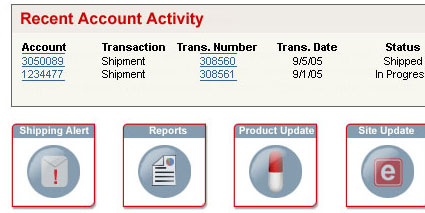
While designing a sytem for alerts on a customer service site I’m working on, there’s been a debate about the best way to notify users of new content. The basic format is for a series of icons to set at the base of the landing page, one for each major category of alerts - site updates, miscellaneous news, shipping alerts, etc.

Alert Detail 1 Continue Reading »

Random.

Marty September 22nd, 2005

Hectic. Random. Chaos.

Such is life at times. I’ve got too many things I’m trying to do and not nearly enough time to do them all - even with help from trusted friends. I’m still exhausted, but I think working out is going to be helping that - it feels good to exercise again … not to mention I’ll finally have a chance to get through all of those books/magazines that have been stacking up in the meantime (reading while working out used to be my number one time to read).

One of my projects at work has been really trying me - I’m a JavaScript newbie, and this script should be fairly easy but it’s driving me up a wall. Van did much of the grunt work giving me the basic script but my ineptitude at adapting it has been a hair-pulling experience. But we finally got it - and I was even able to make changes when I got them back from the client a few days ago. It’s not a bad site, overall - just took more time than I wanted/had to spend.

The house from Hell is coming together nicely now - although we are considering getting out of the rental business. After this debacle, I just don’t like the idea of being 75 minutes from the place, where I can’t keep an eye on it or have to spend lots of time to go down and fix little things. And with the market the way that it is in Newark, it might be better to sell and look for a fixer-upper closer to home.

Daily Links »

Simple Script

Marty July 18th, 2005

I know that there are a dozen people that I can ask about this for .ASP, but I would prefer to do a small tabulation script in PHP if possible, so if any of the three readers I have see this, let me know if this is something you can do.

On my sidebar, you can see my New York Times Crossword stats. At this point, I am manually doing that in HTML every week or two. What I want to do is have a very simple PHP code slice that lets me input each week’s numbers and then presents the last week, the last month and the year-to-date numbers automatically without me having to touch the HTML of the sidebar. It should be simple, but I haven’t learned enough PHP to do it yet - and I don’t know when I’ll have the time - so anyone who has something already done or can throw it together would be nice.

Daily Links »

Navigation Consternation

Marty July 6th, 2005

I’m in the middle of a contract where we will creating a site that incorporates several departments presentation needs to a varied number of customers. In short, Department A needs to be able to present information to Customer Type A and Customer Type B, while Department B needs to be able to present information to Customer Type C, as well as some information which is share by all Customer types. The data varies between global information without any account specificity, and user-specific transactional data.

The navigation consists of a global ‘frame’ from the parent company (header, footer and left-nav style). Between them is our content (<div id="container">), which in turn has two divs, leftcol and rightcol (I know, so original). We are basing the left navigation - the main navigational element - on the parent site, although we are tweaking the style slightly, customizing the menu items to our site specifics, and most of all making it compliant by removing tables and image-based ‘text’ links. The main content of the page would fit in the right column div, often being fed from another part of the company’s database.

The main navigation isn’t a problem. I’m using nested lists to create a primary and secondary navigation to mimic the table-based rollovers that the parent site has. The problem is that when we reach certain portions of the site, I would need to go to a tertiary level of navigation. Not necessarily a problem in and of itself, although it does pose space problems within the width of the left column div.

Still, it was my recommendation as the most advisable method to go, following this general pattern:


<ul>
<li>HEADER 1</li>
<li>HEADER 2</li>
<ul><li>page 1</li>
<li>page 2</li>
<li>CURRENT PAGE</li>
<ul><li>Option 1</li>
<li>Option 2</li>
<li>Option 3</li></ul>
<li>page 4</li></ul>
<li>HEADER 3</li>
<li>HEADER 4</li>
<li>HEADER 5</li>
</ul>

Simple, aside from spacing problems (32-character option names don’t fit very well). However, the client team wanted to use a set of navigation for that particular page, all within the right column DIV. So, suddenly, we’re left with left navigation, and not-quite-as-far-left navigation. I tried to explain the fact that having to left-justified navigations would most likely be confusing to the user, and that incorporating the navigation into overall navigation would perhaps be more advisable. They weren’t so sure, because they wanted to make sure that the topic navigation was in the face of the user.

After some discussions, it was then suggested that perhaps top navigation within the right DIV (the ‘frame’, if you will) would make more sense. At first, I wasn’t so sure because having two navigational areas - one top and one left - isn’t always the best idea. However, most situations also use this with TOP = primary/global nav, while LEFT = secondary/subject nav - not the other way around. In the end, I created three comps:

1. Integrated Left Navigation
2. Dual Left Navigation
3. Left and Top Navigation.

So, the result? Strangely enough, to me at least, the last choice seems to be the consensus winner. While I had my concerns about offering two separate navigation elements (well, four if you include the header and footer links - but don’t get me started there), it seems to work pretty well. Creating the ‘Inner Nav’ using a top tab-based navigation, if offers a way for the user to focus on the navigation inherent to that particular user-specific system (in this case “Orders”) as opposed to the more global (and generic) navigation on the left side. All of the items that the customer might need to use from within that Order space would be within that inner navigational space - and when they are done, they simply use the global navigation to the left to visit other portions of the site.

From what I know about usability, it seems to fly in the face of good design, but in this case it seems to make the most sense, and actually appears to work fairly well. I’m sure the usability folks will have plenty of words on the subject, but at this point, I’m having trouble finding it.

Daily Links »

« Prev - Next »